
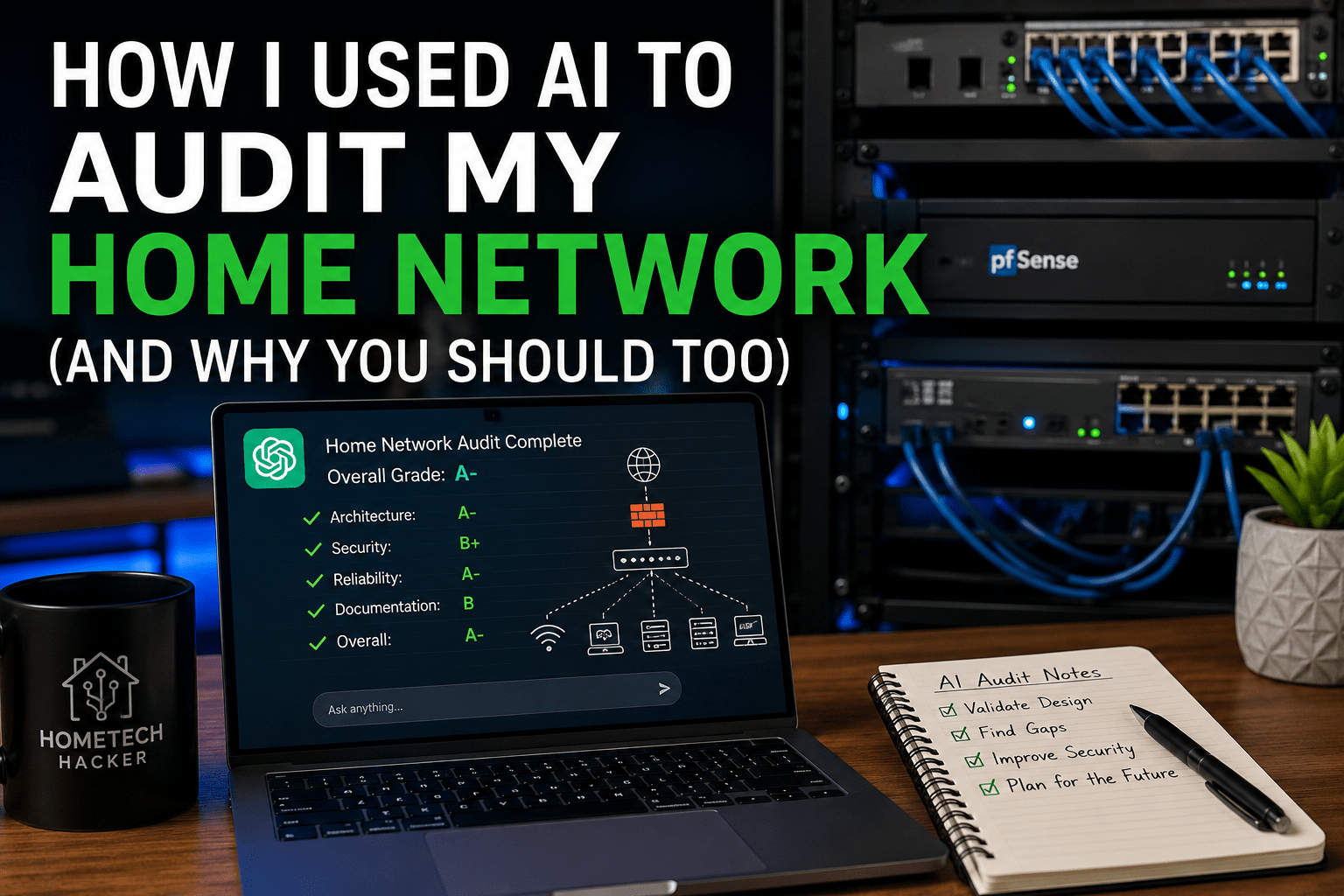


Artificial intelligence is becoming part of more and more of our daily lives. People are using it to write emails, summarize meetings, plan vacations, brainstorm ideas, and even help with coding. Those are all great use cases, but recently I wondered whether AI could help with something much closer to the heart of HomeTechHacker: reviewing a home network.
Not by replacing an experienced network administrator. Not by automatically configuring firewalls. And, certainly not by blindly making changes.
Instead, I wanted to see if AI could do something much more practical: act as an experienced consultant providing a second opinion on a network I’ve been building and refining for years.
While AI certainly didn’t replace my experience, it validated many of my design decisions, identified several improvements I hadn’t considered, and even suggested better ways to document my network. It reminded me that one of AI’s greatest strengths isn’t replacing expertise, rather, it’s helping knowledgeable people think more critically about systems they’ve become familiar with.
If you have a documented home network, I think you should try it too.
Editor’s note: HomeTechHacker also provides has an article about refreshing your home network that you should check out..
Why I Tried This
I’ve been building home networks for decades. Like many technology enthusiasts, my network didn’t appear overnight. It has evolved over years of experimentation, hardware upgrades, new smart home devices, virtualization projects, security improvements, and changing priorities.
Some pieces are brand new. Some have been running reliably for years.
Some decisions were made because they were the best option at the time. Others were intentional compromises based on cost, complexity, or practicality.
After living with the same network for long enough, it’s easy to stop questioning your own decisions. You know why something is configured a certain way, so you naturally assume it still makes sense.
That’s where I thought AI might provide value.
Rather than asking ChatGPT to design a network from scratch, I wanted it to review one that already existed.
I wanted to know:
- What would it praise?
- What would it question?
- What had I overlooked?
- What improvements would it recommend?
- Would its advice actually be useful?
Most importantly, I wanted to know whether this was something other HomeTechHacker readers could realistically do themselves.
AI Isn’t Your Network Administrator
Before we go any further, it’s important to set expectations. I don’t believe AI should be making changes directly to your network. I wouldn’t ask ChatGPT to rewrite firewall rules and then blindly paste them into pfSense. I wouldn’t let it redesign my IP addressing scheme without carefully reviewing every recommendation.
And I certainly wouldn’t trust any AI tool with administrator passwords, VPN keys, or sensitive configuration files.
That’s not what this experiment was about. Instead, I approached AI the same way I would approach a knowledgeable junior consultant. Imagine inviting another experienced IT professional to review your documentation.
They aren’t replacing you.They aren’t taking over your network.They’re simply looking at your design with fresh eyes and asking thoughtful questions.
Good Documentation Made This Possible
One thing became clear almost immediately:
The quality of the AI’s recommendations depended entirely on the quality of the documentation I provided. I didn’t upload configuration backups from pfSense, export switch configurations, or provide firewall rules.
Instead, I shared something I think every serious home network should have anyway: a comprehensive network diagram.
Over the years, I’ve invested time in documenting my network so that it serves as a complete reference rather than just a pretty picture.
My diagram included:
- Physical network topology
- Major infrastructure devices
- Servers and virtualization hosts
- Switches and access points
- Device placement
- IP addresses
- Wireless SSIDs
- Switch port assignments
- Core services
- Internet connection
- Important relationships between systems
Because everything was documented in one place, ChatGPT had enough context to understand how my network was designed without needing direct access to any of the systems themselves.
That, in itself, was an interesting lesson.
If your documentation isn’t detailed enough for AI to understand your network, it’s probably not detailed enough for another person—or even your future self—to understand it either.
Protecting Your Privacy
Before uploading any documentation to an AI assistant, spend a few minutes thinking about privacy.
I intentionally did not upload:
- Passwords
- VPN keys
- Firewall configuration files
- Certificates
- API keys
- Backup files
- Anything that could provide direct administrative access
Even though my network diagram contained internal IP addresses and device names, I was comfortable sharing that level of information for this experiment. Depending on your comfort level, you may want to sanitize your documentation further before uploading it.
I also recommend using ChatGPT’s Temporary Chat feature (or your AI assistant’s equivalent privacy mode) if you don’t want your conversations used to improve future models. Most major AI assistants now offer settings that allow you to disable chat history or model training for sensitive conversations.
The goal is to give AI enough information to provide meaningful feedback without exposing anything that could compromise your security.
The Prompt I Used
One of the things I appreciate most about AI is that better prompts generally lead to better results. Rather than asking a vague question like, “Is my network good?” I asked ChatGPT to behave like a network consultant reviewing my environment.
My prompt looked something like this:
Please review my home network documentation as if you were an experienced network consultant. Evaluate the design for security, reliability, performance, scalability, and documentation quality. Identify strengths, weaknesses, potential risks, and improvements. Explain the reasoning behind each recommendation and ask clarifying questions rather than making assumptions when information is missing.
ChatGPT frequently explained when it lacked enough information to draw a conclusion. That made the conversation much more useful.
Editor’s note: HomeTechHacker also provides an annual home technology tune-up checklist that can assist with improving your home network.
The Verdict: An A-

After reviewing my documentation, ChatGPT gave my network an overall grade of A-.
I wasn’t expecting a grade at all. Its overall assessment was encouraging:
- The architecture appeared thoughtfully designed.
- The network had clearly evolved over time rather than being assembled randomly.
- Security appeared to be a priority.
- The documentation was significantly more comprehensive than what it typically sees.
Specifically, ChatGPT praised the fact that my documentation combined:
- Physical topology
- Device placement
- Wireless SSIDs
- Switch port assignments
- IP addresses
- Major infrastructure
into a single reference document.
It commented that this made the network much easier to understand than documentation that only focused on physical wiring or IP addressing. As someone who has spent years gradually improving that documentation, it was nice to have that effort validated.
More importantly, it reinforced something I’ve believed for a long time:
Good documentation isn’t just for disaster recovery. It’s a tool for better decision making.
Validation Was More Valuable Than I Expected
Before running this experiment, I assumed the most valuable part would be the recommendations. That wasn’t what impressed me most. What impressed me was the validation. ChatGPT didn’t immediately begin criticizing every aspect of my design. It recognized good decisions, acknowledged thoughtful planning, and it identified areas where I had clearly prioritized reliability and maintainability.
Only after establishing that context did it begin recommending improvements. That made the suggestions much easier to trust.
Instead of feeling like generic “best practices,” they felt like recommendations tailored to a network that was already in reasonably good shape.
AI isn’t particularly useful if it tells every reader to “use stronger passwords” or “keep your software updated.” What impressed me was that it moved beyond generic advice and focused on higher-level architectural improvements.
The First Surprise
The very first recommendation wasn’t about security, Wi-Fi, or hardware. It was about documentation.
In fact, some of the most useful suggestions throughout the audit had nothing to do with networking technology at all. They were about making the network easier to understand, maintain, troubleshoot, and improve over the next several years.
Next, we’ll dive into the recommendations ChatGPT made—from VLANs and future-proofing to documentation improvements, disaster recovery, and the questions that made me stop and rethink years of accumulated decisions. We’ll also look at where AI lacked context, where I disagreed with its recommendations, and why human judgment is still an essential part of any network audit.
What AI Found (And What I Learned)
Once ChatGPT finished reviewing the overall architecture, it began making specific recommendations. Some confirmed decisions I’d already made, while others identified opportunities I hadn’t seriously considered.
The important thing to remember is that AI wasn’t looking at my network as someone who built it. It was looking at it as an experienced consultant seeing it for the first time. That perspective is incredibly valuable.
Recommendation #1: Move to VLANs
The biggest architectural recommendation was also the one I expected.
My network currently uses a single IP subnet (192.168.1.0/24), but multiple wireless SSIDs to separate different types of devices. Trusted computers and phones connect to one SSID, smart home devices connect to another isolated network, and guests have their own isolated network.
For many homes, that’s already a significant improvement over placing everything on one wireless network. However, ChatGPT pointed out that true network segmentation with VLANs would provide stronger isolation and make the network easier to manage as it continues to grow.
It suggested eventually separating networks for:
- Trusted devices
- IoT devices
- Security cameras
- Guest devices
- Servers
- Management interfaces
- Lab environments
From a technical perspective, it’s right. VLANs are a cleaner, more scalable solution.
Why I Haven’t Switched Yet
This is one of the first places where human judgment matters. Not every switch in my home supports VLANs. Replacing otherwise perfectly functional hardware simply to implement VLANs doesn’t currently provide enough benefit to justify the cost or effort.
AI tends to recommend the technically ideal solution. Experienced administrators balance technical ideals against cost, complexity, time, and actual risk.
Will I eventually move to VLANs? Probably. But not soon. Instead, it becomes part of my longer-term upgrade roadmap rather than an immediate action item.
Recommendation #2: Isolate Security Cameras
Another recommendation was to prevent my security cameras—particularly some of my older models—from communicating directly with the Internet. Excellent advice but I already do this.
The reason ChatGPT recommended it wasn’t because it found a security hole. It recommended it because my network diagram didn’t include firewall rules. This perfectly illustrates one of AI’s limitations. It can only evaluate the information you provide. It doesn’t know what isn’t documented. In this case, my pfSense firewall already prevents those cameras from reaching the Internet.
I’d rather AI recommend something I’m already doing than assume it’s configured correctly.

Recommendation #3: My Backbone Switch Is a Single Point of Failure
ChatGPT correctly observed that my central switch represents a single point of failure. If it fails, most of the network goes down.
Would I build an enterprise network that way? No. Would I recommend redundant core switches for most homes? Also no.
This is another example of balancing risk against complexity. Adding redundant switching infrastructure would increase cost, complexity, maintenance, power consumption, and rack space.
For my home, the tradeoff isn’t worth it. If the switch ever fails, I’ll replace it. In fact, I have a spare switch at home I can use.
Sometimes “good enough” really is good enough.
Recommendation #4: Start Planning for Multi-Gig
This recommendation was particularly interesting because it aligned almost perfectly with my own plans. ChatGPT suggested gradually upgrading the network backbone to support 2.5GbE or faster networking over the next several years. Because bandwidth demands continue to grow.
Between:
- Network-attached storage
- Virtualization
- AI workloads
- Large backups
- High-resolution media
- Faster Internet connections
there are simply more opportunities to benefit from multi-gig networking than there were a few years ago.
This recommendation reinforced something I’ve already been writing about recently.You don’t need to replace every switch in your home overnight. But when it’s time to upgrade, choosing multi-gig capable equipment often makes sense. That’s exactly the strategy I’m following.
As I replace core infrastructure, new hardware will almost certainly support at least 2.5GbE.
The Best Recommendations Had Nothing to Do With Networking
The recommendations that impressed me most weren’t about networking at all. They were about documentation.
Version Your Network Diagram

I’ve always dated my diagrams. ChatGPT suggested something better; that I version them.
Instead of:
NetworkDiagram-2026.pdf
Use something like:
HomeNetwork-v2.4.pdf
Then maintain a simple change log.
For example:
Version 2.4
- Added new access point
- Replaced UPS
- Retired old desktop
- Updated IP reservations
Color-Code Device Types
Another suggestion I immediately liked was using consistent colors throughout the diagram. e.g., infrastructure, servers, trusted devices, IoT, security cameras, retired hardware, ab equipment, etc.
Nothing revolutionary, but it would make the documentation much easier to scan.
Split Large Diagrams
My current network diagram tries to capture nearly everything:
- Physical layout
- IP addressing
- Infrastructure
- Wireless
- Services
- Relationships
ChatGPT suggested separating this into multiple diagrams.
For example:
- Physical topology
- Logical topology
- IP allocation
- Rack layout
- Internet services
I haven’t decided whether I’ll do this. One reason I like a single comprehensive diagram is that everything is visible in one place.
On the other hand… As the network continues to grow, separate diagrams may become easier to maintain. It’s an idea worth considering.
It Found Documentation Drift
This was perhaps the most valuable discovery. ChatGPT noticed duplicate IP addresses assigned to different devices. Fortunately this wasn’t an actual network problem. It was a documentation problem.
IPs changed over the years, but my documentation didn’t always keep up.
Disaster Recovery Still Needs Work
One recommendation kept appearing in different forms throughout the conversation: Write a network runbook.
A runbook answers questions like:
- How do I recover pfSense?
- How do I rebuild Proxmox?
- How do I restore Home Assistant?
- Which services should come online first?
- Where are backups stored?
- What credentials are required?
If someone else needed to recover my network—or if I needed to do it after several years—I shouldn’t have to rely on memory.
I have parts of that, but I can do better.
Editor’s note: Part of disaster recover includes backups. Here’s how to build a budget backup server.
Some Recommendations Validated Existing Work
Not every recommendation resulted in a new project. For example, ChatGPT suggested automating backups for:
- pfSense
- Home Assistant
- Docker Compose
- Switch configurations
- Virtualization hosts
Much of that is already automated. AI couldn’t know that because those systems weren’t included in the documentation I shared.
The Most Valuable Part Wasn’t the Recommendations
Toward the end of our conversation, I asked ChatGPT a different question. Instead of asking for more recommendations, I asked:
If you were a senior network consultant, what questions would you ask that my documentation doesn’t answer?
Rather than generating another list of improvements, it generated dozens of thoughtful questions covering:
- Security philosophy
- Disaster recovery
- Capacity planning
- Hardware lifecycle
- Monitoring
- Wireless design
- Home Assistant dependencies
- Firmware management
- Internet failover
- Documentation standards
Those questions made me realize something. Experienced consultants don’t provide value because they know every answer. They provide value because they know which questions to ask. In many ways, that’s exactly what AI did during this exercise.
It didn’t magically redesign my network. It encouraged me to think about it more critically than I had in years. And that turned out to be far more valuable than I expected.
How to Audit Your Own Home Network with AI
If you’ve made it this far, you might be wondering whether your own network would benefit from the same kind of review. I think the answer is yes.
Whether you have a simple Wi-Fi router from your ISP or a rack full of networking equipment, AI can provide a useful second opinion. The key is understanding what information to share, what information to keep private, and how to evaluate the recommendations you receive.
The process I followed can easily be repeated, and you don’t need an enterprise network to benefit from it.
Step 1: Start with Good Documentation
The quality of the audit will depend almost entirely on the quality of the information you provide.
My network diagram wasn’t something I created specifically for this experiment. It has evolved over many years and serves as the primary reference for my home network. Because it includes physical layout, logical relationships, IP addresses, wireless networks, switch ports, and major infrastructure, ChatGPT had enough context to understand how everything fit together.
Your documentation doesn’t need to be as detailed as mine to get started, but it should answer some basic questions:
- Can someone unfamiliar with your network tell how devices connect together?
- Can they identify your router, switches, access points, servers, NAS, and Internet connection?
- Can they understand which wireless networks exist and what they’re used for?
If the answers are yes, you’re probably in good shape. If not, I’d encourage you to improve your documentation first. Even if you never use AI, you’ll appreciate having accurate documentation the next time you troubleshoot a problem, replace hardware, or revisit your network after several months.
Step 2: Protect Sensitive Information
Before uploading anything to an AI assistant, take a few minutes to think about what it actually needs.
For this audit, I intentionally avoided sharing configuration backups, administrator credentials, VPN keys, certificates, API tokens, or anything that could compromise my network if exposed.
A network diagram is usually sufficient for an architectural review. If you do decide to share configuration files, consider removing or masking sensitive information first.
I also recommend using ChatGPT’s Temporary Chat feature, or the equivalent privacy mode offered by your preferred AI assistant. Most major AI platforms now allow you to disable model training or prevent conversations from being saved. When reviewing information about your home network, it’s worth taking advantage of those options. You may want to consider doing this as the default for any information you give your chosen AI platform.
Step 3: Give AI a Role
One thing I’ve learned from using AI regularly is that it performs better when you clearly define the role you want it to play. Instead of asking, “What do you think of my network?” try asking it to review your documentation as though it were an experienced network consultant.
That small change encourages more thoughtful feedback. Rather than simply listing generic best practices, the AI is more likely to explain why it’s making a recommendation and where it sees opportunities for improvement.
I also recommend asking it to identify strengths as well as weaknesses. A good review should tell you what you’re doing well, not just what you should change.
Step 4: Evaluate the Recommendations
AI is very good at recognizing patterns, comparing designs against best practices, and identifying opportunities for improvement. It is much less capable of understanding your priorities, budget, tolerance for complexity, or long-term plans.
Throughout my audit, I found myself placing each recommendation into one of four categories:
Implement immediately.
These were generally small improvements that required very little effort, such as improving my documentation or correcting outdated information.
Plan for the future.
Moving to multi-gig networking is a good example. I already planned to make that transition over time, and ChatGPT reinforced that decision without suggesting I replace everything immediately.
Already implemented.
Several recommendations, such as automatically backing up important systems or blocking Internet access for my security cameras, were things I had already done. They weren’t reflected in my documentation, so the AI had no way of knowing they existed.
Not worth doing—at least for now.
Every network involves tradeoffs. My backbone switch is a single point of failure, but adding redundant switching infrastructure would increase both cost and complexity without providing enough value for my home environment.
Your list will almost certainly look different, and that’s exactly the point. AI provides recommendations. You decide which ones make sense.

Prompt Ideas to Get Better Results
One of the most useful outcomes of this experiment was discovering how much difference a good prompt can make.
Here are some prompts I’d recommend trying with your own network.
General Review
Review my home network as if you were an experienced network consultant.
Grade my network for security, reliability, performance, scalability, and documentation quality.
What are the biggest strengths of this network?
What are the biggest weaknesses?
Security
What devices should be isolated from the rest of my network?
What security risks stand out from this documentation?
What additional protections would you recommend?
Are there any devices that concern you?
Reliability
Identify any single points of failure.
What improvements would make this network more reliable?
What components should be protected by a UPS?
What hardware failures would have the greatest impact?
Performance
Where would multi-gig networking provide the greatest benefit?
Do you see any potential bottlenecks?
How would you improve Wi-Fi performance or roaming?
What upgrades would provide the biggest performance improvement for the least cost?
Documentation
Critique my documentation.
What important information is missing?
How could this diagram be easier to maintain?
What documentation would help another person manage this network?
Disaster Recovery
Help me create a runbook for rebuilding this network.
What systems should be backed up?
What recovery procedures should be documented?
What should I test periodically to ensure my backups actually work?
Long-Term Planning
Based on this design, what upgrades should I prioritize over the next five years?
Which hardware is likely to become obsolete first?
What technologies should I begin planning for now?
You don’t need to ask every question in a single conversation. I found it more productive to treat the audit as an ongoing discussion rather than a one-time review.
Where AI Excels
After spending time with this experiment, I think AI is particularly good at four things.
First, it reviews documentation objectively. Because it isn’t emotionally attached to the design, it notices inconsistencies and asks questions that are easy to overlook when you’ve lived with the same network for years.
Second, it compares your network against established best practices. Even when you intentionally choose a different approach, understanding the standard recommendation helps you make better-informed decisions.
Third, it encourages long-term thinking. Several of the suggestions I received weren’t urgent, but they helped me think about where my network should be in three to five years rather than simply solving today’s problems.
Finally, it generates excellent questions. Some of the most valuable moments during my audit came when ChatGPT asked about things my documentation didn’t answer. Those questions prompted me to think about firmware management, disaster recovery, monitoring, and hardware lifecycle planning in ways I hadn’t considered recently.
Where Human Experience Still Matters
For all of its strengths, AI still lacks something important: context.
It doesn’t know your budget, your family’s needs, your tolerance for complexity, or the reasons behind every design decision you’ve made.
In my case, it recommended VLANs, which are widely considered a best practice. Technically, it’s a sound recommendation. At the same time, implementing VLANs today would require replacing hardware that continues to perform well and meets my current needs. That doesn’t make the recommendation wrong. It simply means the timing isn’t right for my environment.
The same was true for several other suggestions. AI identified opportunities that were worth considering, but deciding whether to act on them still required experience and judgment.
That’s why I view AI as a knowledgeable assistant rather than an autonomous expert. It helps me think through problems more thoroughly, but I remain responsible for the final decisions.
Final Thoughts
When I started this experiment, I wanted to see whether ChatGPT could perform a useful home network audit. The answer is yes—but probably not for the reason I expected.
The greatest value wasn’t discovering hidden security flaws or dramatically redesigning my network. It came from having another set of eyes review years of accumulated decisions, validate much of what I’d built, and encourage me to think more intentionally about what comes next.
Some of the recommendations will become future projects. Others confirmed that I was already moving in the right direction. A few reminded me to finish work that had been sitting on my to-do list for far too long. Even the recommendations that didn’t apply were valuable because they prompted me to verify my assumptions and confirm that the safeguards I expected were actually in place.
This experience also reinforced something I’ve come to believe after using AI extensively over the past couple of years: its greatest value often isn’t providing answers—it’s helping us ask better questions. Those questions can expose blind spots, challenge assumptions, and encourage us to look at familiar systems from a fresh perspective.
That’s why I think every home technology enthusiast should try this exercise. It approaches your network without years of assumptions, habits, and familiarity. It sees what you’ve documented, compares it against best practices, and asks questions you may not have considered in years. Sometimes that’s exactly the perspective you need.
That doesn’t mean you should blindly follow every recommendation. AI doesn’t know your budget, your goals, your tolerance for complexity, or the reasons behind every design decision you’ve made. Experience and judgment still matter. Think of AI as another tool in your toolbox—one that can review, question, and suggest, but one that still relies on you to make the final decision.
That’s also one of the central ideas behind my new book, Your Life, Solved: 42 Practical Ways AI Can Help You Save Time, Reduce Stress, and Get More Done. Throughout the book, I explore practical ways to use AI to enhance your thinking and productivity rather than replace your expertise. This network audit turned out to be one of my favorite examples of that philosophy in action.
I started this experiment hoping AI would tell me something I didn’t already know. It did. Not because it understood networking better than I do, but because it helped me look at my own network differently. That’s a lesson I’ll carry into future projects, and one I think is worth applying far beyond home networking.
If you have a documented home network, spend an evening asking your favorite AI assistant to review it. You might come away with a few improvements to make, a little more confidence in the decisions you’ve already made, and a better understanding of where your network should go next.
how-i-used-ai-to-audit-my-home-network-and-why-you-should-too